Markdown,
magnificently styled.
MdStyled turns Markdown into a refined HTML experience you shape with real CSS and JavaScript, rendered live in VS Code while your source stays clean, portable, and AI-friendly.
One tool, unlimited polish
MdStyled compiles Markdown to refined HTML powered by the web's own technologies. Interactive tables, editing, diagrams: just a preview of what's possible.
From Markdown to masterpiece
MdStyled compiles Markdown into polished, real HTML, then hands you the reins. Shape every detail with the web technologies you already know.
CSS & JavaScript at full power
Attach .css and .js via directives or frontmatter. Layouts, themes, charts, interactions, animations. No limits, no preview markup.
Built for the AI generation
Clean, portable Markdown stays the source of truth: the format AI agents read, write, and version best. Styling never bleeds into content.
Invisible selectors
Apply classes, IDs, and attributes with HTML comments that vanish in the preview. Pure intent, zero clutter.
Auto-discovery
Companion .css and .js files are loaded automatically. Match filenames and MdStyled wires everything up for you.
Mermaid diagrams
Render flowcharts, sequence diagrams, and more straight from fenced code blocks. No plugins, no setup.
Interactive tables
Search, sort, and paginate Markdown tables out of the box, as proof of what the engine enables.
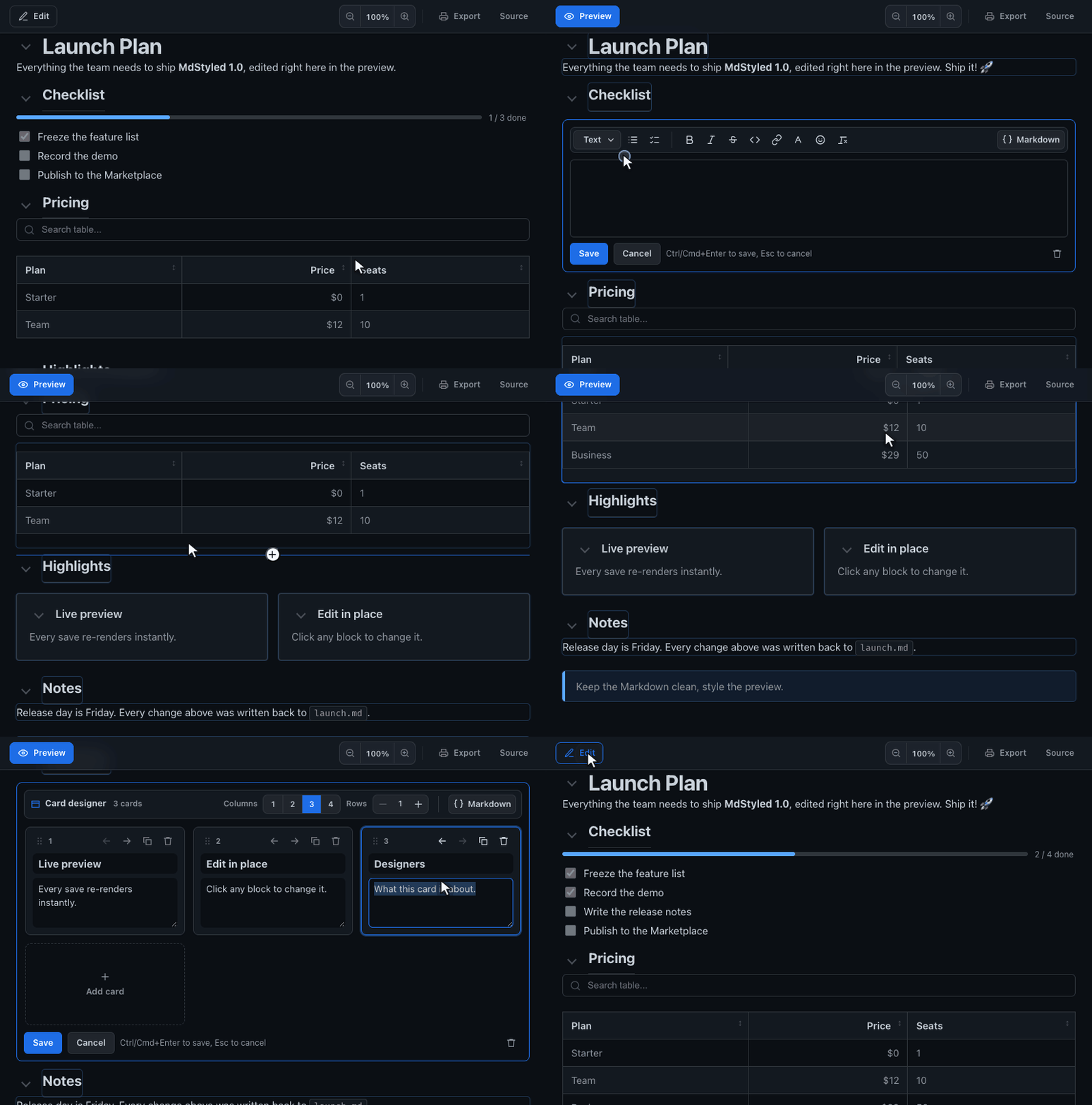
Edit in the preview
Editable templates refine Markdown blocks right in the styled, live view. Save, and it re-renders instantly.
Card designer
Lay out card grids visually: add, remove, and reorder cards, edit headers and content, and set columns and rows. It saves back as plain Markdown.